Neon Dash
Neon Dash
Neon Dash
Neon Dash

Neon Dash: Find Your Jumping Rhythm

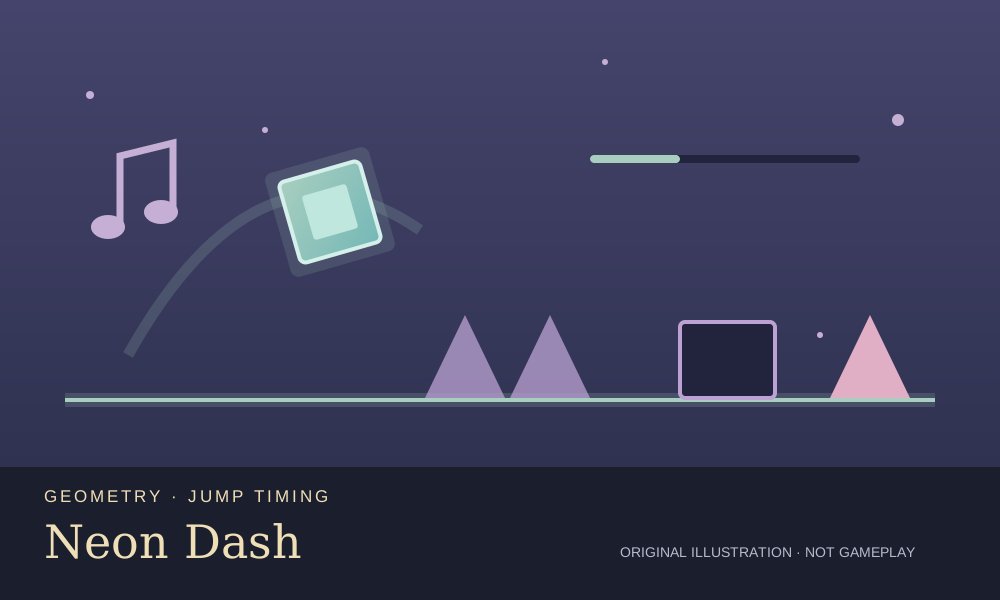
A glowing cube races toward a line of spikes. There is no steering to worry about, just the moment you choose to jump. Neon Dash is GameZipper’s rhythm platformer, pairing forward motion with bright geometric obstacles and music. It is a related timing challenge for Sprunki players, rather than a character mixer or a place to make your own song. Press PLAY to enter First Steps. The cube moves automatically while blocks and spikes approach. Tap the game area, click or press Space, Arrow Up or W to jump. Watch the space ahead of the cube instead of looking only at its feet: a clean landing matters as much as clearing the next obstacle. Learn a short sequence of jumps before trying to speed through unfamiliar sections. Later sections introduce different movement modes. Flying asks you to hold the input to rise and release it to descend; gravity changes require you to read the path again rather than repeat the same jump pattern. Finishing a level opens the next challenge. The level menu shows your progress, while the pause menu provides Resume, Restart and a practice toggle with checkpoints. Treat each collision as a clue about timing. Try an earlier jump if you hit the front of a block, and avoid frantic repeated inputs when a short, deliberate action will do. Browser-local progress can help you return to unlocked levels, but it is not an account backup or a public leaderboard. The hosted game includes its provider’s advertising and links; availability and ad presentation can vary. For another music challenge, try Magic Tiles or Beat Battle in this collection.

GameZipper
Rules of this version

  • 1
    The character moves forward automatically; your inputs control jumps or the current movement mode.
  • 2
    Spikes and obstacle collisions interrupt the attempt. Retry and adjust the timing rather than tapping randomly.
  • 3
    Flying uses held input to rise and released input to descend.
  • 4
    Completing a level unlocks the next challenge. Progress is stored in this browser, not a shared online account.

🎮 How to Play Neon Dash?

  • Begin with First Steps

    Press PLAY for the opening level. Your cube moves forward automatically, so concentrate on the obstacles approaching from the right.
  • Time a clear jump

    Click or tap the game area, or use Space, Arrow Up or W. Look ahead and leave room to land before the next obstacle.
  • Adapt to the movement mode

    In flying sections, hold to rise and release to fall. Read the route again when movement or gravity changes instead of applying one rhythm everywhere.
  • Practise and return

    Use the pause menu to resume, restart or toggle practice checkpoints. Complete a level to unlock the next one and return through the level menu.

🤔 Frequently Asked Questions

Is this a Sprunki music mixer?

Which controls can I use?

Can I keep my progress?

Does the hosted game contain advertising?

✨ Key Features of Neon Dash 🎶

Rhythm meets geometry

Music accompanies a bright obstacle course. The challenge is reading spacing and controlling your inputs, not building a Sprunki arrangement.

A route to learn

The opening First Steps course gives you a place to practise before later movement changes. Repeat short patterns to improve your timing.

Practice checkpoints

The pause menu includes a practice switch and restart controls, letting you work on a route before attempting a clean run.