Beat Battle
Beat Battle
Beat Battle
Beat Battle

Beat Battle: Find Your Rhythm in a Four-Lane Duel

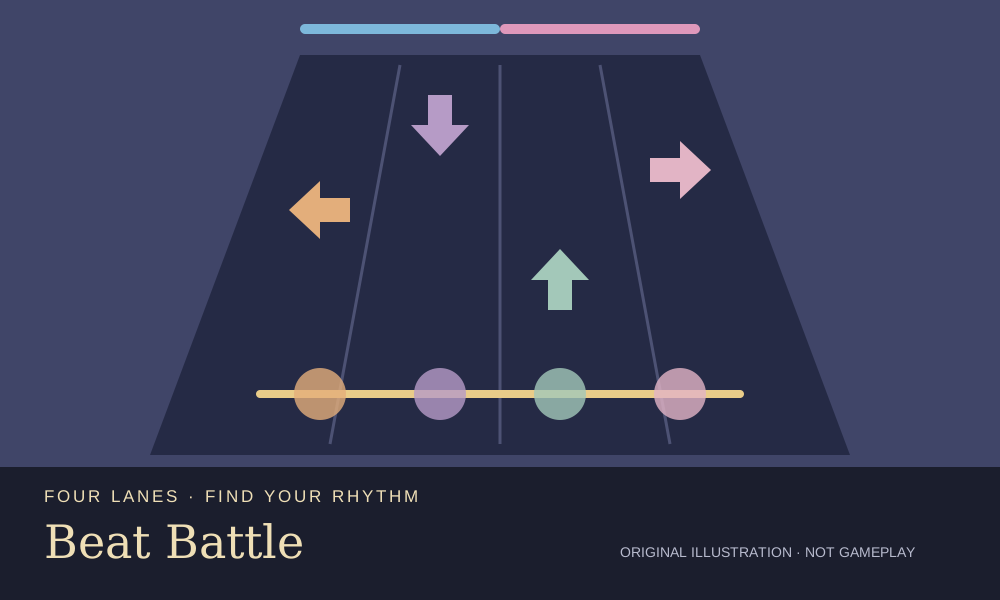
Four arrow lanes turn each musical duel into a test of timing. In Beat Battle, watch notes approach the glowing judgment line and press the matching control when they meet it. Your side is blue and your opponent’s is pink. Accurate inputs help your side, while misses shift the balance against you. This is GameZipper’s browser version of Beat Battle, a rhythm challenge rather than a Sprunki character pack or music mixer. You follow a pattern instead of assembling your own mix. Begin with Warm-Up, the Beginner stage marked 90 BPM, and use the level screen to find the next available challenge. It lists thirty levels, with later stages reached by completing earlier ones. The four lanes use Left, Down, Up and Right, or D, F, J and K in that same left-to-right order. The timing guide distinguishes Perfect, Good and OK judgments. Consecutive successful inputs build a combo; a miss breaks the chain and hurts your position in the duel. Randomly pressing keys is no substitute for recognizing where a note meets the line. Keep your eyes near the hit line and learn the lane-to-key mapping before the run. When several notes arrive, focus on the correct lane rather than chasing a big score. If the result is defeat, Retry returns you to the same stage. Practise a consistent layout on Warm-Up before changing both the level and your controls, and use the health bar and judgments to understand what needs work.

GameZipper

Rules of this version

  • 1
    Four lanes correspond to Left, Down, Up and Right, or D, F, J and K.
  • 2
    Time each input for the moment its note reaches the glowing judgment line.
  • 3
    The timing guide lists Perfect, Good and OK judgments.
  • 4
    Consecutive successful inputs build a combo; a miss breaks that chain.
  • 5
    Accurate timing pushes the duel in your favour, while misses move the health bar against you.
  • 6
    Complete earlier challenges to progress; this version’s level screen lists thirty levels.

🎮 How to Play Beat Battle?

  • Choose an opening stage

    Select Play or an available level. Warm-Up is the Beginner stage at 90 BPM and a clear starting point for learning the four controls.
  • Watch the glowing line

    Follow the notes toward the judgment line. Looking near this line helps you judge the final part of their approach instead of watching only the top of the field.
  • Match each lane

    Press Left, Down, Up or Right for its lane. Alternatively, use D, F, J and K in that order; learn the mapping before trying to react quickly.
  • Read the result and retry

    Watch the timing judgments and blue-versus-pink health bar. After defeat, choose Retry to return to the same stage and practise more deliberate inputs.

🤔 Frequently Asked Questions

Is this a Sprunki music mixer?

Which keys control the lanes?

What happens when I miss?

Can I try the same level again?

✨ Key Features of Beat Battle 🎶

A duel you can read

The health bar gives every input a consequence beyond a score. Watch how misses change the balance, and learn the controls before choosing a faster challenge.

Two keyboard layouts

Choose the arrows or D/F/J/K and keep the four lanes in the same order in your mind. The game’s guide also describes tapping the lanes on mobile.

A direct return to practice

The result screen’s Retry control brings you back to the current stage after defeat. Revisit Warm-Up with the same key layout so you can compare your timing rather than change everything at once.